Case study · EdTech · AR · Mobile
OCTAR
A fun, educational app for kids, used under parental guidance, that turns their coloring into 3D models in augmented reality, with facts and quizzes along the way.
At a glance
- The problem
- A finished coloring page stays flat. There's nothing more to discover or learn from it once the colouring is done.
- What I did
- Designed the bilingual app solo at AD Group, from onboarding questionnaires for parents and kids to the color-and-scan flow and the AR camera.
- The result
- Launched on Google Play as "OCTAR: 3D AR Coloring" by AD Group Tech, rated for everyone, with 500+ downloads.
Project timeline
- Product goals and the core flowsWeeks 1–2
- Onboarding, categories and the AR cameraWeeks 3–5
- Every screen mirrored right to leftWeek 6
- Handoff and Google Play releaseWeeks 7–8
The problem.
OCTAR is a fun, educational app for kids, used under parental guidance. It lets children explore and learn through interactive coloring and augmented reality.
Coloring is one of the first creative activities children take to, but a finished page stays flat. Once the colouring is done, there’s nothing more to discover or learn from it. OCTAR keeps the hands-on part in the child’s hands, on paper or a tablet, and adds what a page can’t: a 3D model of what the child just coloured, facts about it, and a quiz to check what they learned.
What the research says.
Published research on AR coloring and on how children use apps backs the choices behind OCTAR:
- AR makes coloring more motivating. In Disney Research’s study of an AR coloring book, where a child’s colours appear live on a 3D character, participants said it increased their motivation to colour, and 80% said it made them feel more connected to the character. (Disney Research, ISMAR 2015)
- Kids skip long instructions, but read icons well. Children scan text and skip long paragraphs of instructions, yet even 3-year-olds recognise familiar controls like play and pause. (Nielsen Norman Group, 2019)
- Patience runs out fast. Children want instant gratification and abandon an experience rather than troubleshoot it when something doesn’t work. (Nielsen Norman Group, 2019)
- Young children learn more with an adult alongside. Toddlers and preschoolers learn more from media when an adult is with them, asking questions and connecting it to everyday life. (American Academy of Pediatrics, 2023)
This is desk research from published sources, gathered for this case study. It isn’t a study I ran during the project.
Print, color, scan, play.
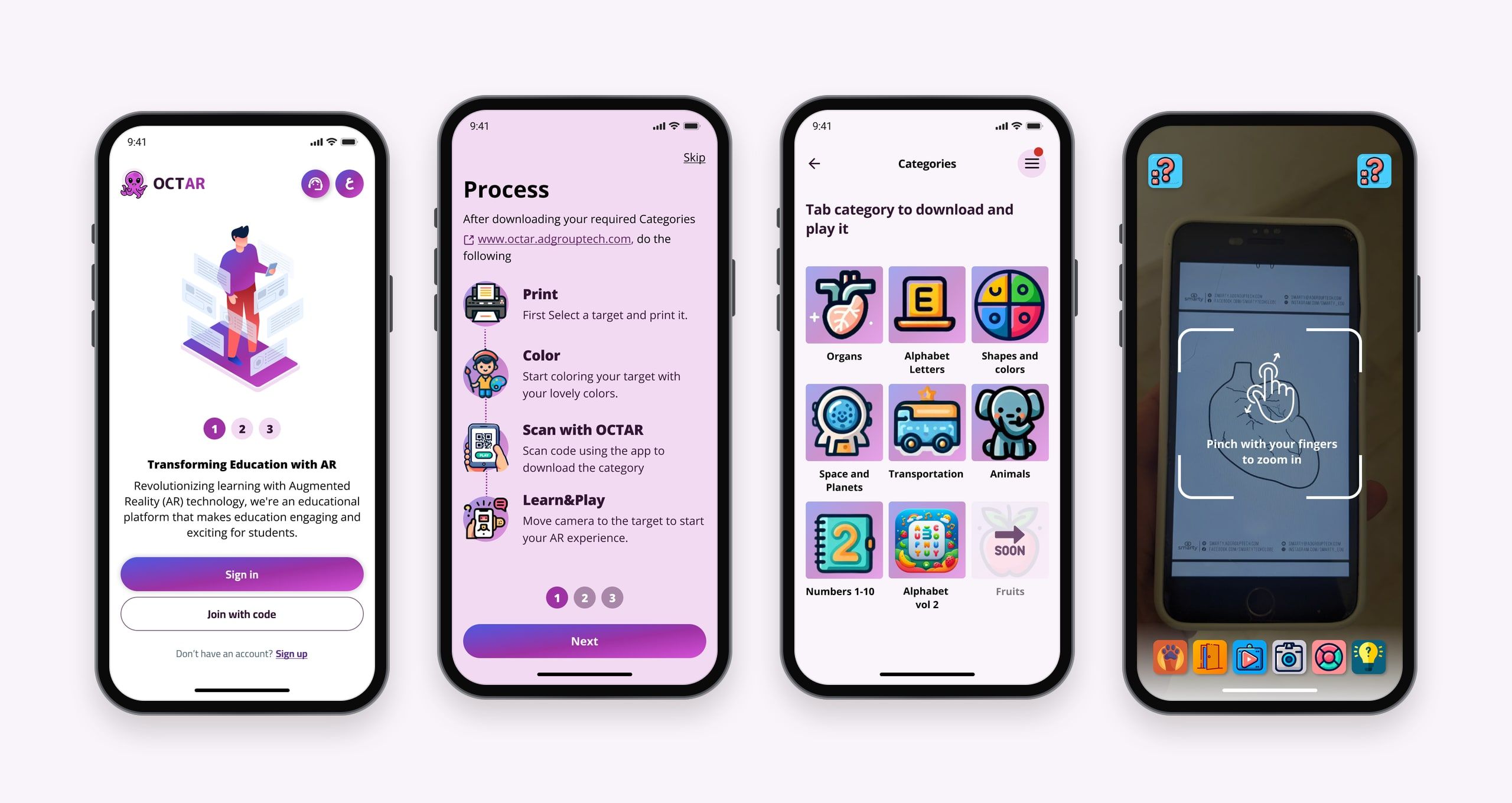
Kids download black-and-white educational drawings from the OCTAR website: animals, numbers, letters, vehicles and more. They can print them and colour by hand, or colour them digitally on a tablet.
Then they scan their coloured drawing with the app, and it turns the 2D page into a vibrant 3D model on screen. Each object comes with educational facts, and interactive quizzes let children test what they’ve learned in a playful way.
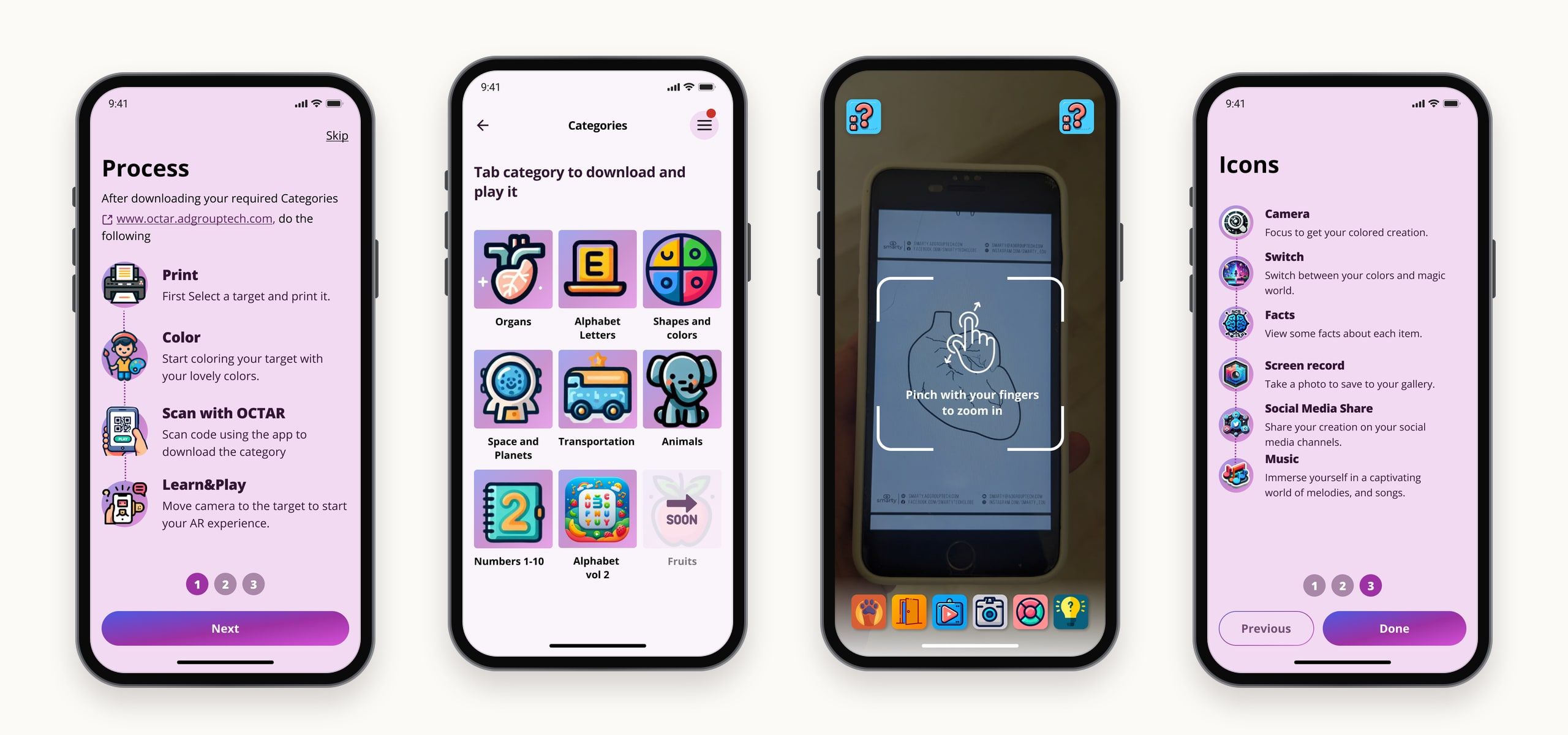
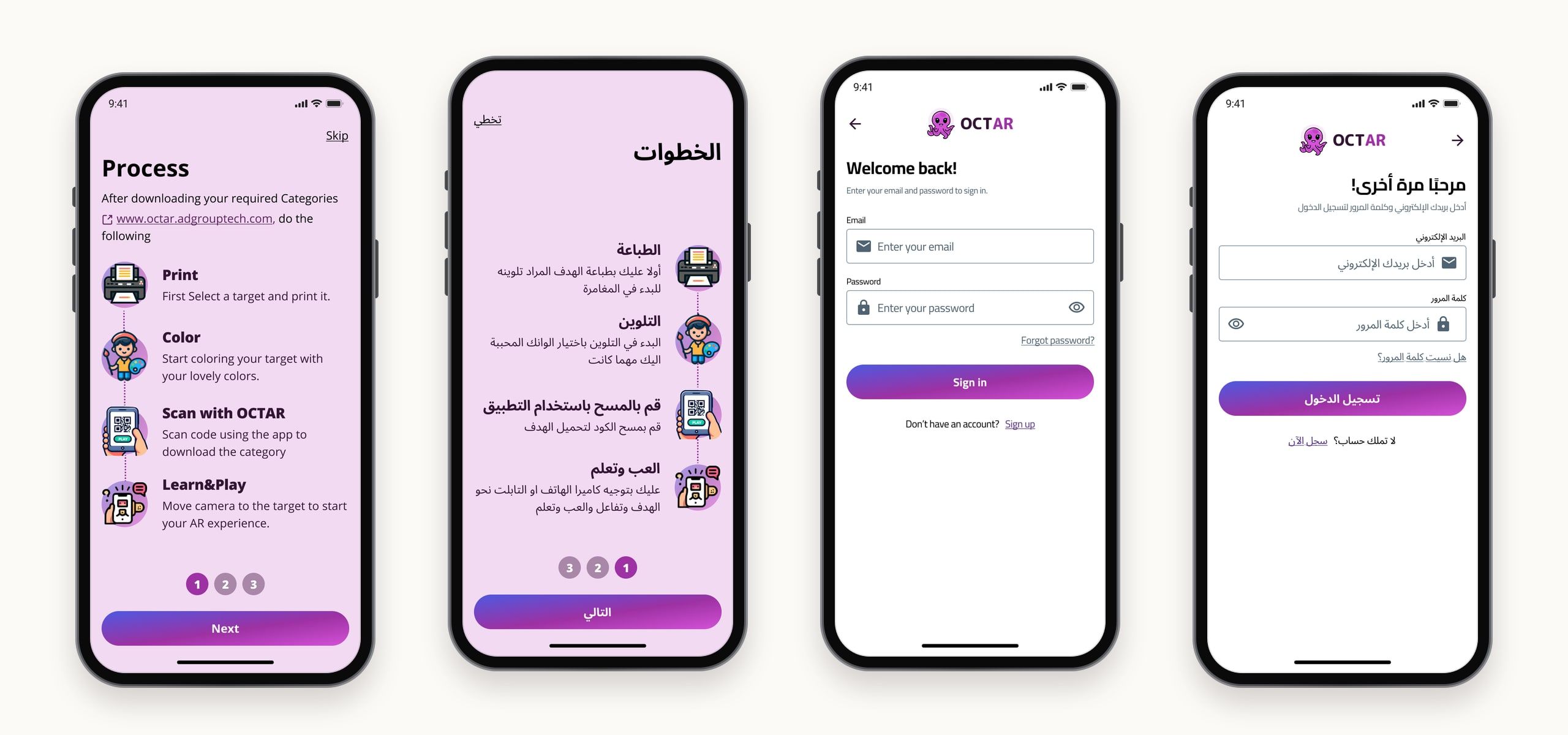
Because the loop starts away from the phone, the app walks through it before the first session. Kids skip long instructions, so the tutorial is four short steps, each with an illustration and a single line of text, followed by a guide to the category library and the camera icons.
Tailored from the first minute.
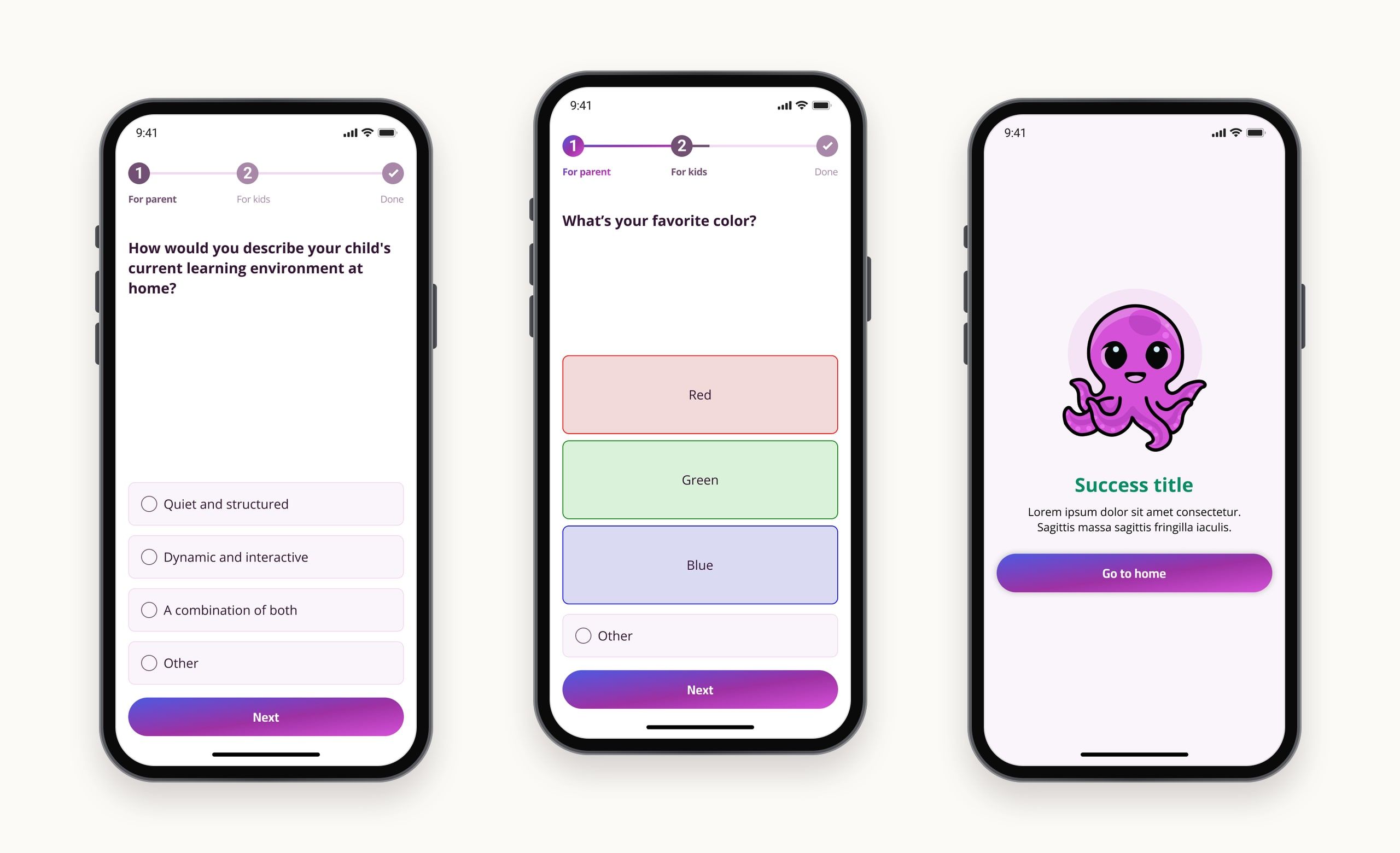
To customise content, the app needed to know each child: what they’re interested in, and what they need to improve. So onboarding asks two short sets of questions. Parents describe their child’s learning environment, their goals and how involved they want to be. Then the child answers their own: favourite colour, animals or robots, coloring or puzzles.
Children’s patience runs out fast, so each set offers a skip option after four to six questions, and no one gets bored or stuck. Asking parents first also brings them into the experience from the start, which matters because young children learn more with an adult alongside. A note before the kids’ questions asks parents to let children answer for themselves, explaining a question if needed rather than answering for them.
An AR camera made for small hands.
The camera is where the drawing comes alive, so its controls are big, colourful icons rather than text: switch between the child’s colours and a “magic world”, view facts about each item, take a photo or record a video of the creation, share it, and play music. An on-screen hint shows how to pinch to zoom.
Children recognise familiar icons long before they read comfortably, so every tool is a picture first, with labels saved for the tutorial that explains them.
Safe, simple access.
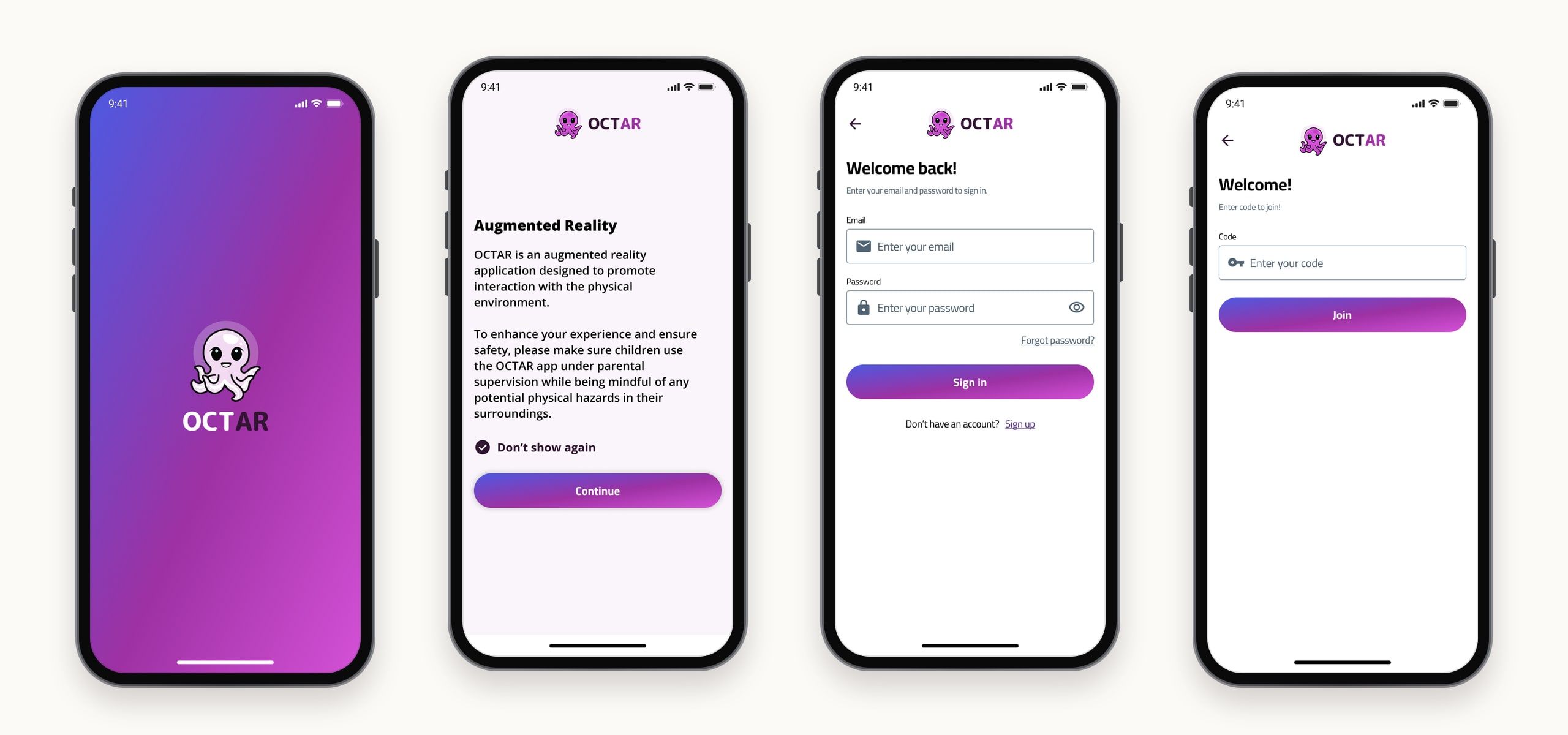
OCTAR is designed for interaction with the physical environment, so a consent screen asks that children use it under parental supervision, mindful of any hazards around them. Accounts sign in with an email and password, and a “Join with code” option offers a second way in.
English and Arabic, side by side.
Every screen exists in English and in Arabic, with the Arabic layouts mirrored right to left.
Impact
- Downloads on Google Play
- 500+
- Languages, English and Arabic
- 2
- Solo design time
- ~2 months
Final notes
OCTAR went from first screens to a Google Play release in about two months, designed solo and in two languages. The idea at its heart is simple. Keep the creative part in the child's hands, and let the app add what a page can't, then wrap it in short, visual steps a child can follow and a parent can guide.