Case study · Entertainment · Web & Mobile
Tlntarc
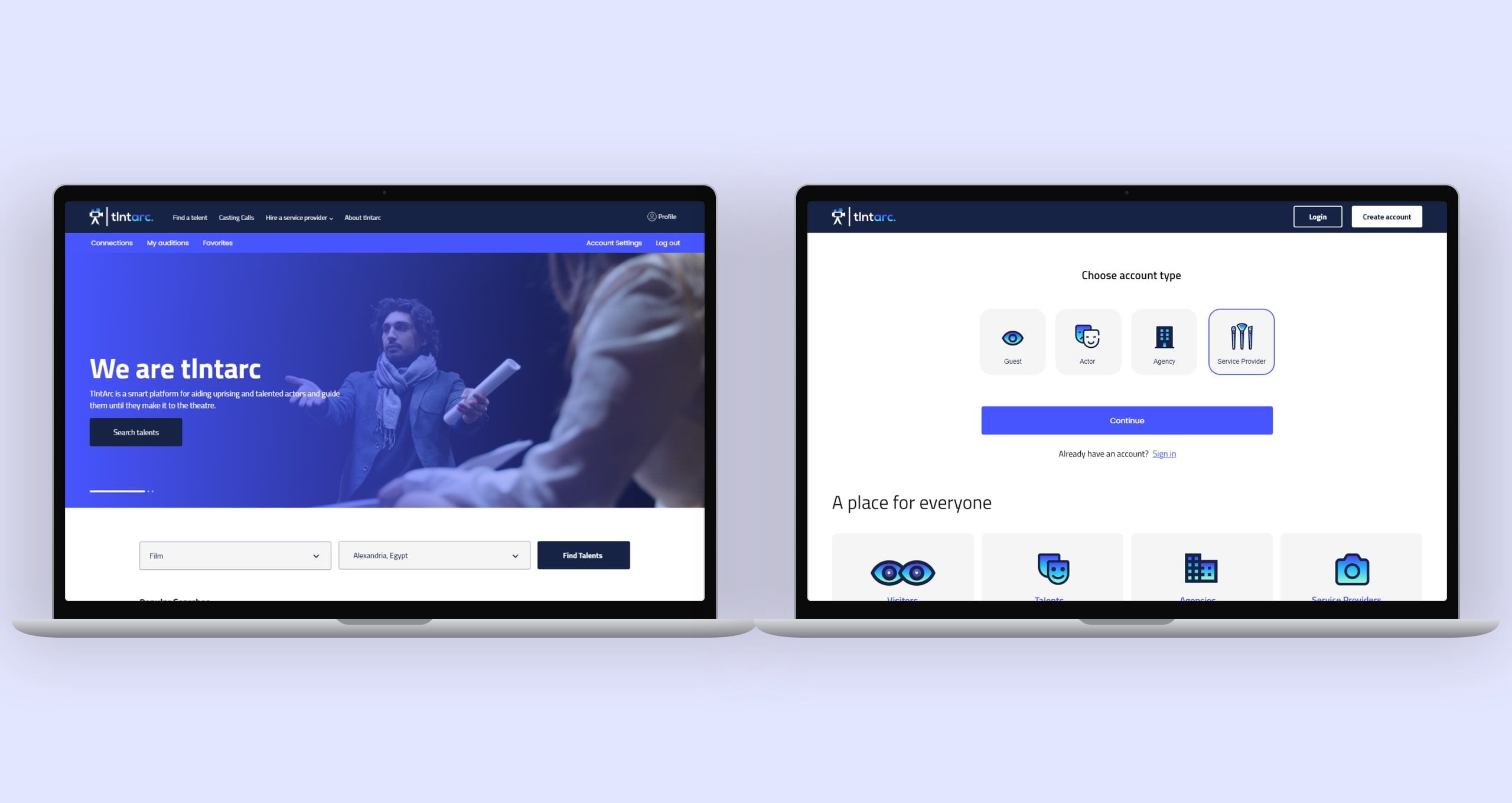
Tlntarc is a client's platform for helping up-and-coming actors find roles and guiding them until they make it to the theatre. I designed its website and mobile app, for three kinds of people in one product, actors, the agencies casting them and the service providers around them, from signing up to posting an audition and setting interviews.
At a glance
- The problem
- The client wanted one place where up-and-coming actors could find the right role, and where agencies could publish projects, receive submissions and choose who to meet, without the two sides needing separate products.
- What I did
- Designed the website and mobile app end to end as the sole designer, from research and wireframes to a design system and high-fidelity screens, covering onboarding by role and a step-by-step registration to profiles, casting calls, posting auditions, shortlisting applicants and scheduling interviews.
- The result
- A complete design for web and mobile, covering every role from the first launch to casting an audition.
Project timeline
- Actors, agencies, providersMonth 1
- Flows for each roleMonths 1–2
- Colour, type, componentsMonth 2
- Website and mobile appMonths 2–3
One door, three kinds of people.
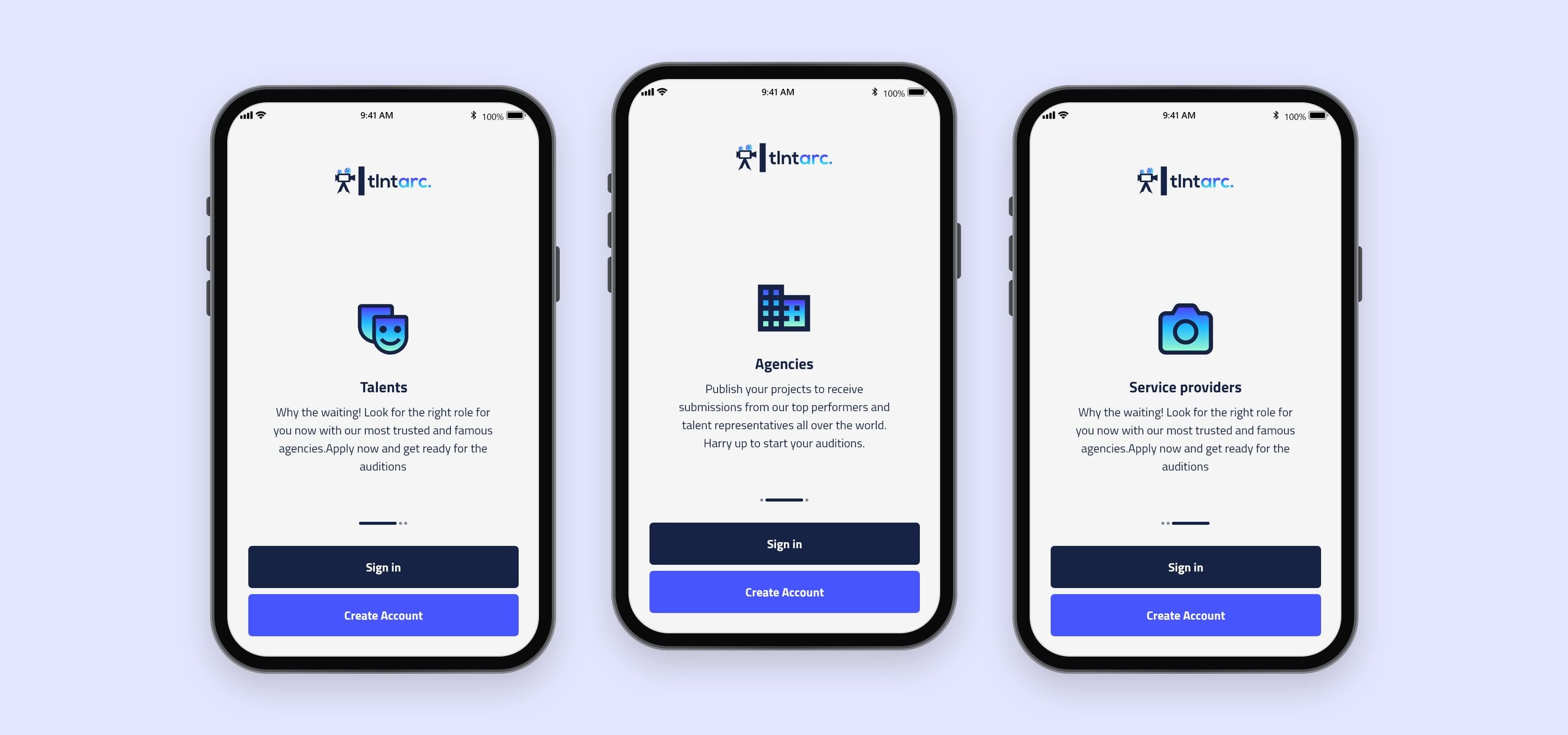
The app opens by speaking to each audience in turn. Talents are told to stop waiting and look for the right role with trusted agencies; agencies are invited to publish their projects and receive submissions from performers and talent representatives; service providers get their own welcome. Every screen ends with the same two choices, sign in or create an account, so nobody has to work out which app is theirs.
Sign up in steps, not one long form.
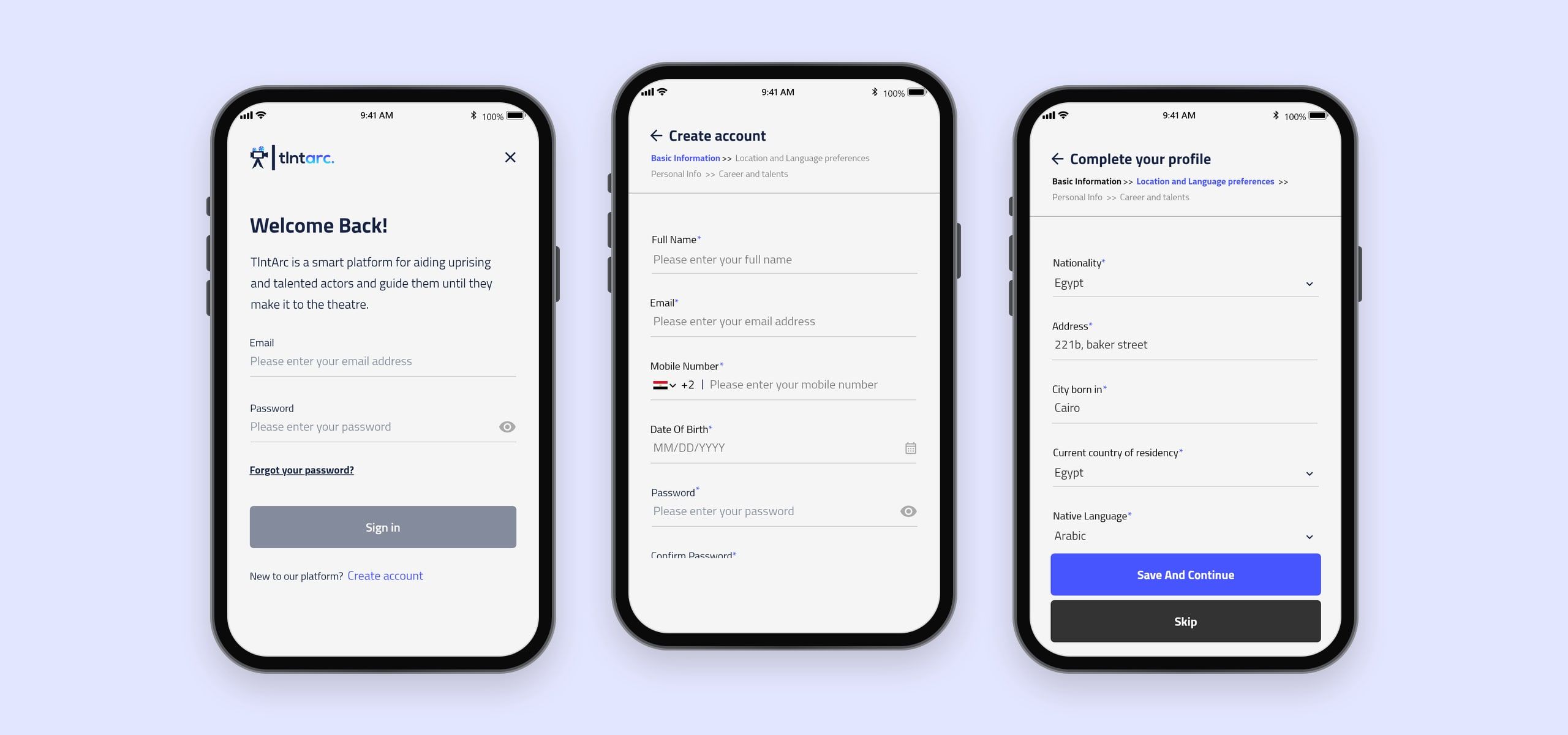
Registration is split into four short steps, basic information, location and language preferences, personal info, and career and talents, with a breadcrumb showing where you are. Casting depends on details like the city someone was born in, their native language and their accent, so those are asked for in their own step, and anything beyond the basics can be skipped and finished later.
Profiles that work like portfolios.
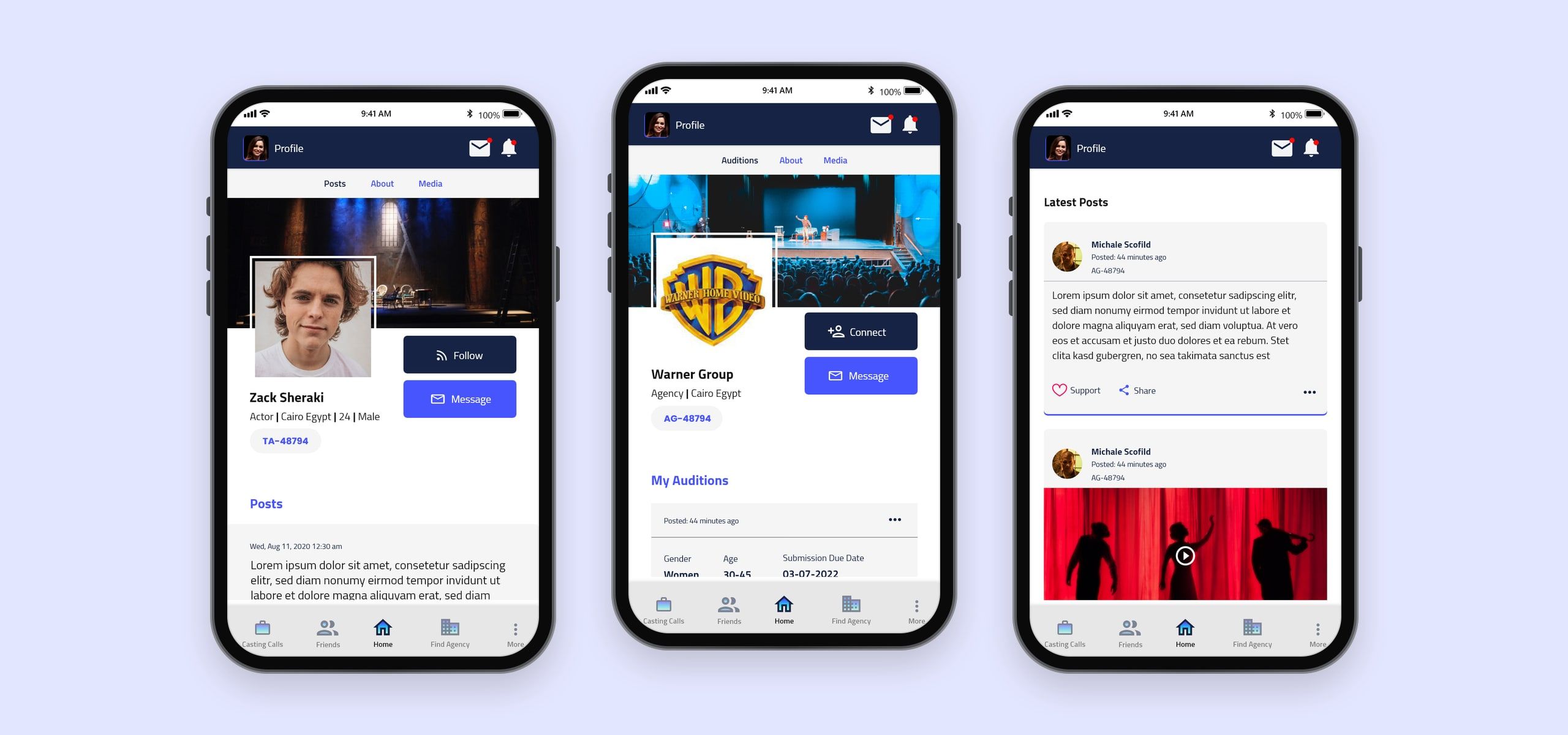
An actor’s profile leads with a cover, a headshot and the essentials, actor, city, age and gender, with an ID and buttons to follow or message. Posts, an about page and media sit in tabs. Agencies get the same structure with Connect instead of Follow and their auditions on the profile, and a feed of posts with support and share keeps the community moving between castings.
Find the right call.
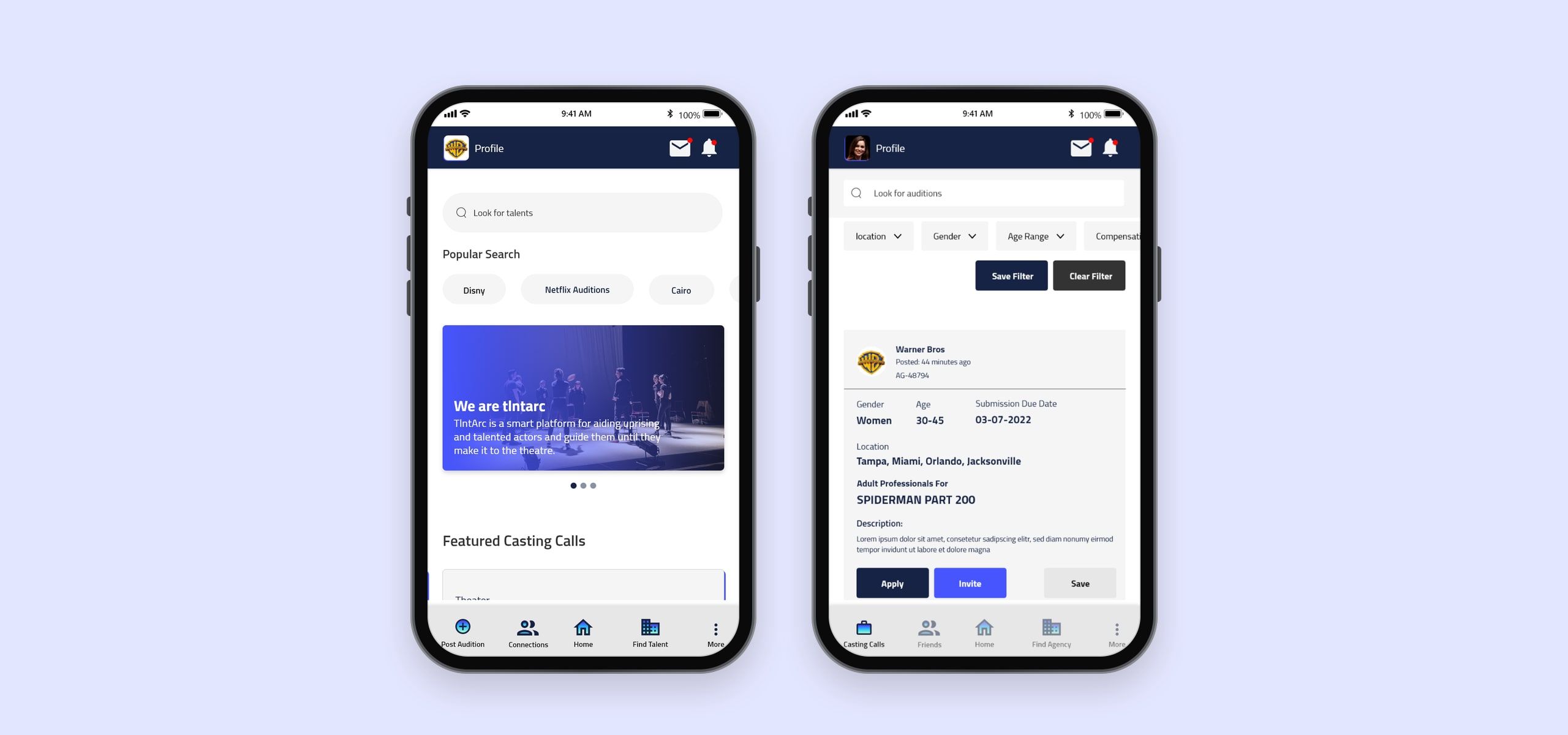
Home brings a search for talent, popular searches and featured casting calls together. The tab bar changes with the account: an actor’s leads to casting calls, friends and agencies, an agency’s to posting an audition, connections and finding talent. Casting calls can be filtered by location, gender, age range and compensation, filters can be saved, and each call shows who it’s for, where, and its submission deadline, with Apply, Invite and Save.
From audition to interview.
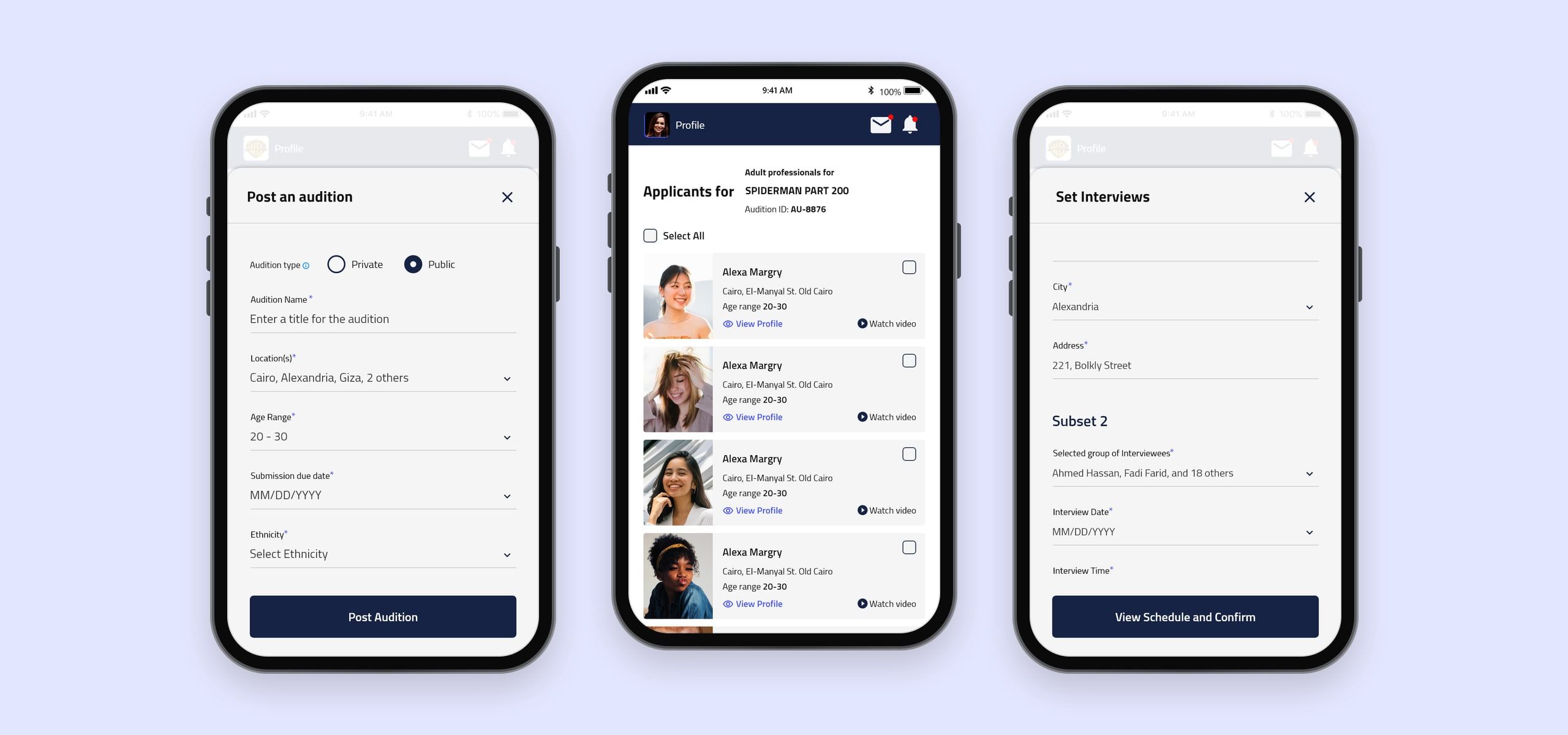
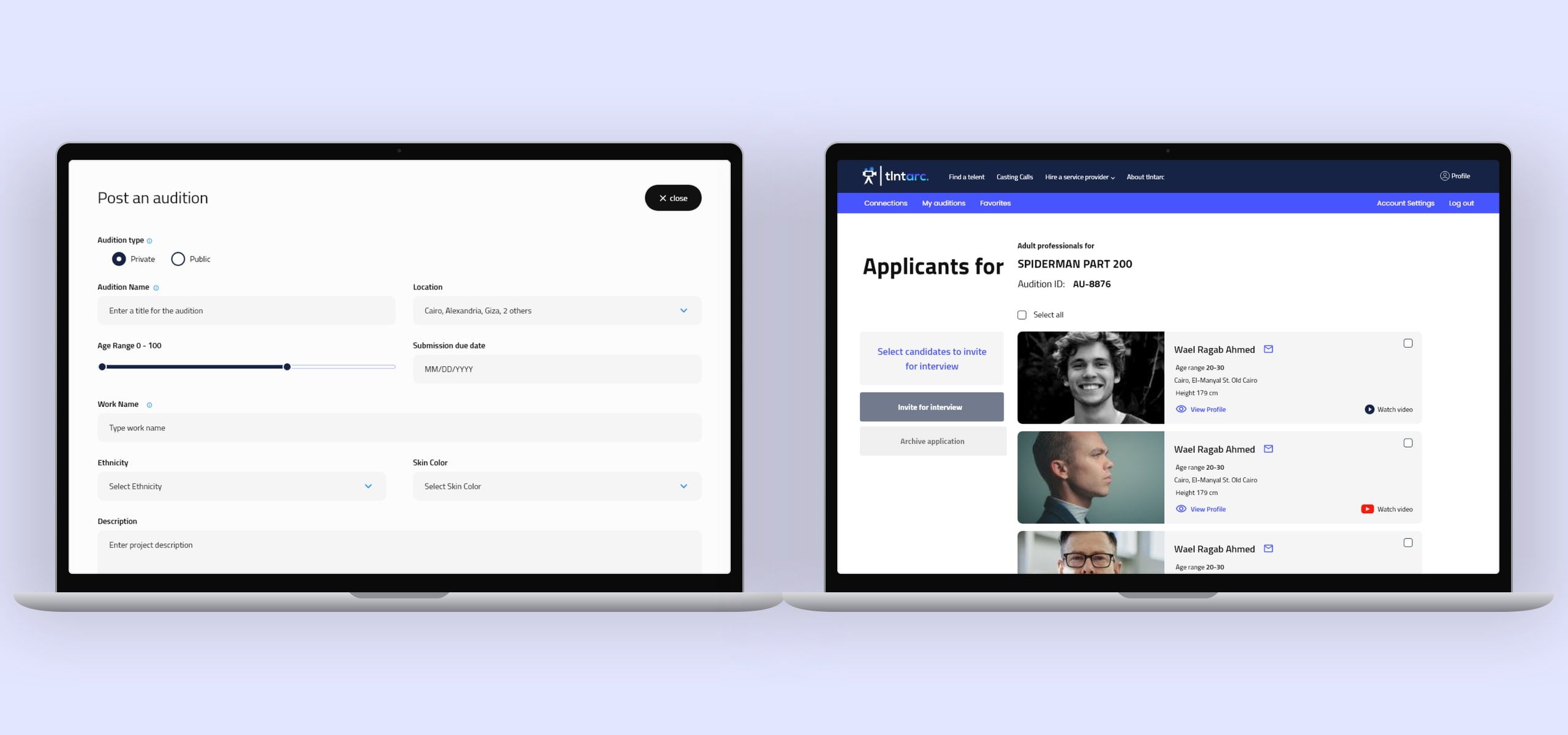
For agencies, casting is one flow. Posting an audition asks whether it’s private or public, its name, locations, age range, deadline and ethnicity. Applicants come back as a list with their age range, location, a link to their profile and a video, ready to select in bulk and invite for an interview or archive. Interviews are then scheduled in groups, each with its own place, date and time.
Colour and type.
A bright blue leads, on buttons, links and the website’s navigation, over a deep navy for headers and primary actions, with a blue-to-cyan gradient for the brand’s moments. A scale of greys carries text and surfaces. Cairo sets everything, from headings to body text, and covers Arabic as well as Latin.
Brand
- Primary#4755FF
- Navy#162344
- Cyan#31C5F9
Neutrals
- Black#111111
- Dark grey#666666
- Grey#999999
- Light grey#D9D9D9
- White#FFFFFF
Cairo
Typeface
- RegularWe are tlntarc
- BoldWe are tlntarc
Impact
- Kinds of user in one product
- 3
- Platforms, website and mobile app
- 2
- Solo design time
- 3 months
Final notes
The decision that shaped Tlntarc was to build one product for everyone in casting rather than one per audience. Actors, agencies and service providers sign up through the same door and use the same app, and the app changes around them. An actor's tab bar leads to casting calls and agencies to follow, an agency's to posting an audition and finding talent. Each side sees the other's work in the same profiles, so a casting call and the people answering it are never more than a tap apart.